
Did you know that poor design can cost businesses millions of dollars in lost revenue? In May 2026, businesses are looking for ways to improve their design workflows and stay ahead of the competition. Figma is a popular design tool that can help businesses achieve their design goals. Figma is a cloud-based design tool that allows teams to collaborate in real-time, making it an essential tool for businesses that want to streamline their design processes.
Table of Contents
- Introduction to Figma
- Benefits of Using Figma for Business
- Streamlining Design Processes with Figma
- Improving Collaboration with Figma
- Best Practices for Using Figma
Introduction to Figma
Figma is a cloud-based design tool that allows teams to collaborate in real-time. It was founded in 2012 and has since become one of the most popular design tools on the market. Figma is used by businesses of all sizes, from small startups to large enterprises.
What is Figma?
Figma is a design tool that allows teams to create, collaborate, and prototype user interface (UI) designs. It is similar to other design tools like Sketch and Adobe XD, but it has some unique features that set it apart. For example, Figma allows teams to collaborate in real-time, making it easier to work together on design projects.
Benefits of Using Figma for Business
There are many benefits to using Figma for business. Some of the most significant benefits include improved collaboration, increased productivity, and enhanced creativity. Figma also allows businesses to streamline their design processes, making it easier to get products to market faster.
Improved Collaboration
Figma allows teams to collaborate in real-time, making it easier to work together on design projects. This improves communication and reduces the risk of misunderstandings. For example, Custom Website Development Services can use Figma to collaborate with clients and ensure that their design needs are met.
Streamlining Design Processes with Figma
Figma can help businesses streamline their design processes by allowing teams to work together more efficiently. It also provides a range of features that make it easier to manage design projects, such as version control and design systems.
Version Control
Figma’s version control feature allows teams to track changes to their design files and collaborate more effectively. This reduces the risk of errors and makes it easier to manage complex design projects. For example, UI UX Design Services can use Figma’s version control feature to ensure that all team members are working with the latest version of the design file.
Improving Collaboration with Figma
Figma can help improve collaboration by allowing teams to work together in real-time. It also provides a range of features that make it easier to communicate and share design files, such as commenting and @mentions.

Commenting and @mentions
Figma’s commenting and @mentions features allow team members to communicate more effectively and collaborate more efficiently. For example, team members can use @mentions to notify each other of changes to the design file or to ask questions about the design.
Best Practices for Using Figma
There are several best practices for using Figma, including setting up a design system, using version control, and collaborating with team members in real-time. Businesses can also use Figma’s API to integrate it with other tools and services, such as SEO Services.
Setting up a Design System
A design system is a set of reusable components and guidelines that can be used to create consistent designs across multiple products and platforms. Setting up a design system in Figma can help businesses streamline their design processes and improve collaboration. For example, businesses can use Figma’s design system feature to create a library of reusable components that can be used across multiple design projects.
| Design Tool | Collaboration Features | Version Control |
|---|---|---|
| Figma | Real-time collaboration, commenting, @mentions | Version control, design systems |
| Sketch | Collaboration features limited to cloud version | No version control |
The Real Problem: Broken Design Workflows
Most businesses don’t struggle with creativity — they struggle with process.
Design files scattered across tools, unclear feedback loops, outdated versions, and slow approvals create bottlenecks that delay projects and reduce quality. Figma solves this by centralizing design, collaboration, and communication into a single platform.
How Figma Transforms Business Design Workflows
1. Real-Time Collaboration (No More Back-and-Forth)
Traditional workflows rely on:
- Sending files back and forth
- Email feedback chains
- Version confusion
Figma eliminates this with live collaboration.
Multiple team members can:
- Work on the same file simultaneously
- Leave comments instantly
- See updates in real-time
This dramatically reduces delays and miscommunication.
2. Centralized Design Systems
Consistency is critical for branding and scalability.
With Figma, you can:
- Create reusable components (buttons, forms, layouts)
- Maintain a shared design library
- Ensure consistency across all pages and products
This is especially powerful for growing businesses managing multiple digital assets.
3. Faster Prototyping and Testing
Figma allows you to turn static designs into interactive prototypes.
Benefits include:
- Testing user flows before development
- Gathering feedback early
- Reducing costly revisions later
This shortens the overall product development cycle.
4. Seamless Developer Handoff
One of the biggest friction points is design-to-development transition.
Figma simplifies this by providing:
- Inspect mode for developers
- CSS, spacing, and asset details
- Exportable assets
This reduces misunderstandings and speeds up development.

Advanced Use Cases for Businesses (2026)
Forward-thinking companies are using Figma beyond basic design.
Cross-Team Collaboration
Marketing, product, and development teams all work within the same environment.
Client Collaboration
Agencies can share live design links with clients for instant feedback and approvals.
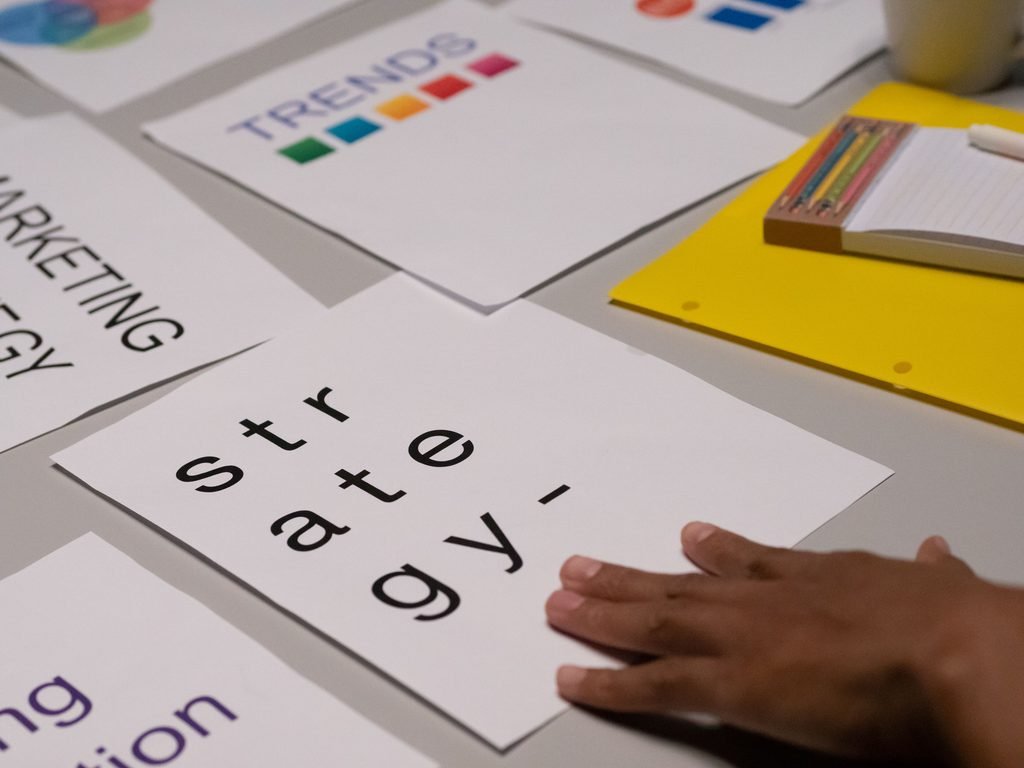
Design + Strategy Alignment
Design decisions are directly tied to business goals such as conversions, engagement, and usability.
Figma vs Traditional Design Tools
| Feature | Figma | Traditional Tools |
|---|---|---|
| Collaboration | Real-time | Limited |
| Access | Cloud-based | Local files |
| Version Control | Built-in | Manual |
| Developer Handoff | Seamless | Fragmented |
| Scalability | High | Moderate |
Figma isn’t just a design tool — it’s a workflow platform.
Common Mistakes When Using Figma
Even with a powerful tool, poor usage leads to inefficiency.
Avoid:
- Not organizing files and pages properly
- Ignoring design systems
- Overcomplicating components
- Lack of naming conventions
A structured approach is essential to maximize Figma’s value.
Best Practices for Maximum Efficiency
To get the most out of Figma:
- Set up a clear file structure
- Use consistent naming conventions
- Build and maintain a design system
- Use components and auto layout
- Regularly clean up unused assets
These practices ensure scalability and long-term efficiency.
Measuring Design Impact on Business
Design is not just visual — it’s measurable.
Track:
- User engagement (time on page, clicks)
- Conversion rates
- Bounce rates
- Task completion rates
Better design directly improves business performance.
Final Thoughts: Design as a Business Advantage
In 2026, design is no longer optional — it’s a competitive advantage.
Figma enables businesses to move faster, collaborate better, and deliver higher-quality digital experiences. Companies that invest in streamlined design workflows outperform those that rely on outdated processes.
If your design workflow is slow, fragmented, or inconsistent, adopting Figma can be a game-changing decision.
Conclusion
In conclusion, Figma is a powerful design tool that can help businesses streamline their design processes, improve collaboration, and increase productivity. Its features, such as real-time collaboration, version control, and design systems, make it an essential tool for businesses that want to stay ahead of the competition. By following best practices for using Figma, businesses can get the most out of this design tool and achieve their design goals.
If you’re looking to improve your business’s design workflow, WebHivez’s team of experts can help you get started with Figma. Our services include custom website development, UI/UX design, and SEO services. Get in touch to discuss your project and learn how we can help you achieve your design goals.
Learn more about Figma,
Smashing Magazine
Frequently Asked Questions (FAQs)
What is Figma?
Figma is a cloud-based design tool that allows teams to collaborate in real-time. It is used for creating, collaborating, and prototyping user interface (UI) designs.
What are the benefits of using Figma for business?
The benefits of using Figma for business include improved collaboration, increased productivity, and enhanced creativity. Figma also allows businesses to streamline their design processes, making it easier to get products to market faster.
How does Figma improve collaboration?
Figma improves collaboration by allowing teams to work together in real-time. It also provides a range of features that make it easier to communicate and share design files, such as commenting and @mentions.
What is a design system in Figma?
A design system in Figma is a set of reusable components and guidelines that can be used to create consistent designs across multiple products and platforms. Setting up a design system in Figma can help businesses streamline their design processes and improve collaboration.
How can businesses use Figma’s API?
Businesses can use Figma’s API to integrate it with other tools and services, such as SEO Services. This can help businesses streamline their design processes and improve collaboration.