Choosing the right Content Management System (CMS) for a B2B enterprise dictates your team’s publishing velocity, security posture, and organic search scalability. In 2026, the CMS debate for B2B companies centers on two market leaders: WordPress and Webflow. Both platforms are capable of hosting high-converting business sites, but they cater to fundamentally different engineering philosophies and operational setups.
Executive Comparison: WordPress vs. Webflow
| Feature Dimension | WordPress | Webflow |
| Platform Architecture | Open-Source (Self-Hosted) | Closed SaaS (Managed Cloud Hosting) |
| Design Flexibility | Unlimited (Requires custom coding or page builders) | Advanced visual CSS/HTML canvas built-in |
| SEO Capabilities | Complete control over server, code, and plugins | Strong native SEO controls out of the box |
| Custom Code & APIs | Infinite flexibility via custom PHP, REST APIs, GraphQL | High flexibility via custom Javascript, webhooks, & embeds |
| Security Maintenance | Requires regular plugin, theme, and core updates | Fully managed infrastructure and automatic security updates |
| Scalability | Enterprise-grade (Powers 40%+ of the web) | Ideal for mid-market B2B & marketing-led sites |
1. Search Engine Optimization (SEO) & Technical Controls
Organic search remains a top acquisition channel for B2B organizations.
- WordPress SEO: Through plugins like RankMath or Yoast, combined with server-level configuration (LiteSpeed, NGINX), custom WordPress development grants complete control over canonical tags, schema markup, and advanced caching. For technical speed tuning, review our guide on core web vitals optimization checklist for WordPress.
- Webflow SEO: Webflow provides built-in SEO settings, allowing teams to edit page titles, meta descriptions, open-graph tags, 301 redirects, and clean auto-generated XML sitemaps without plugins.
2. Design Flexibility and Publishing Velocity
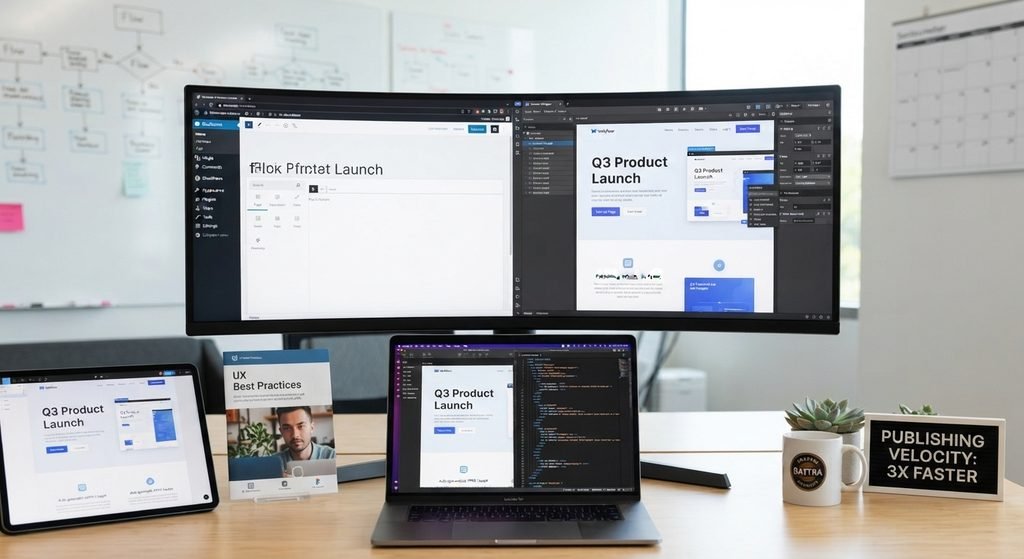
Marketing teams require the ability to launch landing pages quickly without waiting on developer sprints.
Workflow Phase Breakdown: Webflow vs. WordPress
- Design Canvas
- Visual CSS/HTML Canvas
- Figma / Adobe XD Mockups
- Code Generation
- Clean HTML/CSS Generated Automatically
- Custom Theme Development / Gutenberg Blocks
- CMS Setup
- Native CMS Field Binding
- PHP Templates & Custom Database Setup
- Publishing / Deployment
- Instant 1-Click Publishing
- Server Deployment (Kinsta, WP Engine, NGINX)
Webflow’s visual designer gives UI/UX teams direct control over responsive breakpoints, typography engines, and complex micro-animations. If your site requires high-impact visual layouts, read our guide on how to design a hero section that captures attention and drives action. Conversely, custom Gutenberg block systems in WordPress allow enterprise content teams to build modular pages using custom-coded design systems that maintain brand guardrails.
3. Total Cost of Ownership (TCO) & Maintenance
WordPress Cost Model:
Low Initial Platform Fee + Enterprise Hosting + Ongoing Plugin Maintenance + Security Patches
Webflow Cost Model:
Higher Monthly SaaS Tier + Workspace Seats + Zero Server Maintenance Costs
While WordPress software is free, enterprise sites incur costs for secure hosting (WP Engine, Kinsta), security monitoring, and developer retainers. Webflow bundles hosting, SSL, and CDN delivery into predictable monthly pricing tiers, reducing developer maintenance overhead.
4. Enterprise Security, Compliance, and Risk Management
For B2B organizations, especially those operating in SaaS, FinTech, and healthcare data security and compliance standards are non-negotiable considerations when selecting a web infrastructure.
WordPress Security Infrastructure
Because WordPress powers over forty percent of the web, it naturally attracts automated exploit scripts, credential stuffing, and brute-force intrusion vectors. Maintaining an enterprise-grade security posture on WordPress requires an active, multi-layered strategy. Hosting the platform on isolated, dedicated environments like Kinsta Enterprise or WP Engine separates the database from shared infrastructure, significantly reducing attack surfaces. Developers can implement granular, custom Role-Based Access Control to restrict user permissions down to specific post types, custom fields, and database queries. Furthermore, placing an enterprise Web Application Firewall such as Cloudflare Enterprise or Sucuri in front of the origin server protects the application from distributed denial-of-service attacks, SQL injections, and cross-site scripting vulnerabilities before traffic reaches your internal code.
Webflow Security Infrastructure
In contrast, Webflow operates on a fully managed, closed SaaS model built on top of AWS and Fastly edge infrastructure. Out of the box, Webflow handles regulatory compliance by providing native SOC 2 Type II, ISO 27001, and GDPR compliance, which relieves internal IT teams from conducting manual audit preparations. Centralized patch management ensures that all platform-level vulnerabilities and core updates are rolled out automatically across the global edge network without downtime or risk of plugin conflicts. Site security is further backed by encrypted, automated backups and versioning systems, enabling instant state rollbacks directly from the dashboard without needing external database backup utilities.
5. API Ecosystem and System Integration Matrix
Modern B2B marketing engines rely on tight integrations between the CMS, Marketing Automation Platforms, Customer Relationship Management tools, and enterprise analytics stacks.
Architectural Integration Deep Dive
When evaluating software integrations, WordPress provides unmatched custom flexibility through custom PHP handlers, native REST APIs, and GraphQL endpoints via plugins like WPGraphQL. This open architecture makes WordPress the ideal choice if your website must function as a direct extension of a proprietary web application, executing real-time database queries, powering multi-tiered user membership portals, or syncing with legacy ERP systems. Custom database schemas and unlimited post relationship logic ensure that complex enterprise data architectures remain fully customizable.
Conversely, Webflow delivers a streamlined integration experience tailored specifically for marketing-led organizations. Instead of maintaining custom backend code, Webflow connects with CRM platforms like HubSpot and Salesforce through native apps, embedded forms, and outgoing webhooks triggered by platform events. While Webflow offers headless content delivery via its REST API v2, its native CMS structure is designed for standard marketing data models up to ten thousand items per collection. For marketing teams whose primary objective is capturing leads, passing webhook payloads to automation platforms like Zapier or Make, and tracking user interactions via tag managers, Webflow delivers reliable, zero-maintenance connectivity.
B2B Decision Matrix: Aligning CMS Choice with Your Operating Model
Selecting between WordPress and Webflow ultimately depends on how your company balances internal engineering resources, publishing velocity, and database complexity. Organizations with limited or no dedicated web engineering resources benefit significantly from Webflow, as it empowers marketing and design teams to build, iterate, and publish pages independently without relying on developer sprints. This high-velocity environment is perfect for campaign-heavy B2B companies that launch new landing pages weekly and rely on built-in visual micro-animations to drive conversions.
On the other hand, enterprises with dedicated in-house web developers, complex multi-language requirements, or extensive database structures exceeding ten thousand dynamic items will find WordPress to be the more scalable foundation. WordPress excels when an organization requires strict editorial governance, customized Gutenberg block design systems, multi-author approval workflows, or intricate server-side SEO optimizations that demand fine-grained control over server rules and custom schema markup.
6. Core Web Vitals, Rendering Speed, and Global CDN Performance
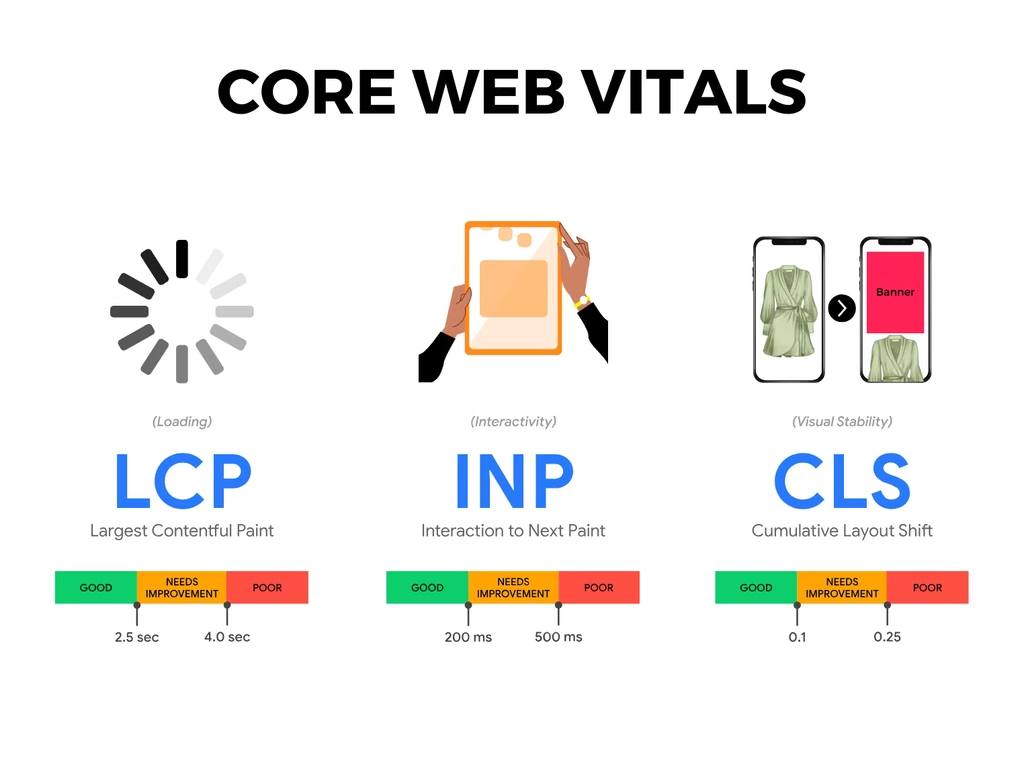
Site speed and user experience metrics directly influence B2B search visibility and conversion rates. In 2026, Google’s Core Web Vitals placed strict demands on Interaction to Next Paint (INP), Largest Contentful Paint (LCP), and Cumulative Layout Shift (CLS).
WordPress Performance Architecture
Achieving top-tier Core Web Vitals on WordPress requires deliberate technical orchestration. Because WordPress generates pages dynamically via PHP and MySQL queries on every request, server-level caching mechanisms like Redis, Memcached, and Varnish are critical to maintaining low Time to First Byte (TTFB). Technical teams must implement strict asset optimization pipelines, minifying scripts, deferring non-critical JavaScript, and serving next-gen image formats through dedicated performance plugins or custom build tools. When combined with enterprise edge caching networks like Cloudflare Enterprise, a customized WordPress installation can achieve instant global page loads, though it demands ongoing monitoring to prevent performance degradation as new plugins or scripts are added over time.
Webflow Performance Architecture
Webflow takes a fundamentally different approach by serving statically generated HTML, CSS, and assets directly from global Content Delivery Networks powered by AWS CloudFront and Fastly. Every site published generates pre-rendered code that sits at edge locations nearest to the end user, eliminating database query delays and reducing TTFB natively. Webflow automatically handles image compression, responsive image src sets, and clean CSS execution without requiring extra configuration. While this infrastructure guarantees exceptional baseline performance out of the box, teams must still practice disciplined asset management, such as limiting heavy custom scripts, optimizing third-party marketing tags, and structuring animation triggers carefully to avoid INP spikes on complex interactive pages.
7. Localization, Multi-Language Strategy, and Global Expansion
For mid-market and enterprise B2B companies expanding into international markets, delivering localized content and maintaining regional SEO architecture are essential requirements.
Enterprise Localization in WordPress
WordPress offers extensive flexibility for global B2B operations through multi-site network configurations or dedicated translation architectures like WPML and Polylang. Engineering teams can construct distinct site networks per country, customize regional domain structures (such as subfolders, subdomains, or top-level domains), and implement precise hreflang tags across complex dynamic content types. Furthermore, WordPress allows teams to store localized assets, tailor checkout workflows for regional currencies, and manage custom translation workflows directly within the database. This deep architectural control makes WordPress the preferred option for enterprise organizations executing highly localized, multi-region commercial strategies.
Enterprise Localization in Webflow
Webflow addresses international growth through its native Webflow Localization feature, which allows teams to customize visual layouts, text content, assets, and CMS items for specific locales directly inside the visual designer. Webflow handles technical localization mechanics automatically, generating localized URL structures, translating metadata, and injecting clean hreflang tags to prevent duplicate content penalties in search engines. While Webflow Localization offers a smooth, visual workflow for marketing teams expanding into core international markets, enterprise organizations with complex translation management systems or thousands of region-specific dynamic items should evaluate Webflow’s locale payload limits to ensure alignment with their global expansion roadmap.
Which Platform Is Right for Your Business?
Choose Webflow if:
Your marketing team wants to launch custom landing pages quickly without developer dependency. You need built-in animations, visual interactions, and clean visual front-end production. You prefer a managed, low-maintenance platform.
Choose WordPress if:
You require complex third-party software, ERP, or custom database integrations. As executing an enterprise SEO strategy requiring fine-grained server and schema control. With whom need deep custom functionality and complex multi-language setups.
Scale Your B2B Web Infrastructure with WebHivez
Still undecided between WordPress and Webflow? At WebHivez, we engineer high-converting B2B platforms built on both WordPress and Webflow architectures. Schedule a Strategic CMS Consultation with our engineering team today.
Frequently Asked Questions
1. Is Webflow better than WordPress for B2B websites?
Neither platform is universally “better”; the right choice depends on your team’s operational setup and technical requirements. Webflow is generally better for marketing-led B2B companies that need high publishing velocity, built-in visual design controls, and zero server or plugin maintenance.
2. Which platform is more cost-effective for an enterprise B2B company in the long run?
While WordPress software is free, its total cost of ownership (TCO) includes ongoing expenses for managed enterprise hosting (e.g., WP Engine or Kinsta), security monitoring, Web Application Firewalls, and developer maintenance retainers.
3. How do WordPress and Webflow compare for B2B SEO performance?
Both platforms can achieve top Google rankings when configured correctly. Webflow offers strong native SEO tools out of the box allowing marketing teams to manage titles, meta descriptions, 301 redirects, open-graph tags, and clean sitemaps without plugins.
4. Can Webflow integrate with enterprise B2B CRMs like HubSpot and Salesforce?
Yes. Webflow connects seamlessly with major B2B CRMs and Marketing Automation Platforms like HubSpot, Salesforce, and Marketo using embedded forms, native integration apps, and outgoing webhooks to platforms like Zapier or Make.