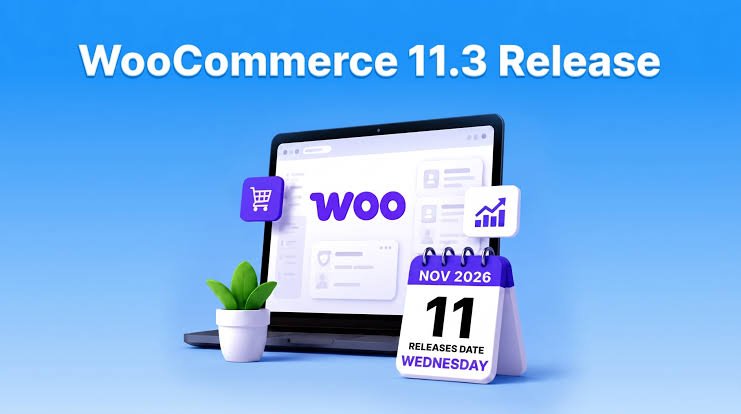
WooCommerce 11.3 is worth installing for most stores as long as you test it on a staging copy first. It suits store owners who run regular sales and want better looking sale badges without extra code. The release came out on November 11, 2026. It’s backwards compatible but it also includes a database update so a backup comes first.
Developers have more to check. The old MCP endpoint has been removed and the refund API is stricter now. This guide covers what’s new what changed under the hood what the update costs you in time and how to decide when to click the button. I’ve sorted everything by how much it affects your sales and daily work.
What Is WooCommerce 11.3? Release Date and Quick Summary
WooCommerce 11.3 is a feature release that shipped on November 11, 2026. It adds more sale badge options more block styling controls smoother mobile gallery swipes and a setting for your returns policy page. It also changes a few developer tools.
Here are the facts from the official WooCommerce 11.3 release notes:
- Released: November 11, 2026
- Backwards compatible: Yes
- Database update: Yes
- Size: 1,343 PRs and 111 contributors with a focus on performance bug fixes and security
Most of the visible changes live in the block editor. If you use a classic theme with heavy custom templates you’ll see less of them. If you’re not sure which setup your store runs on a WooCommerce development team can check it for you.
On Sale Badge Block: Show Discount Amount Percentage or Custom Text
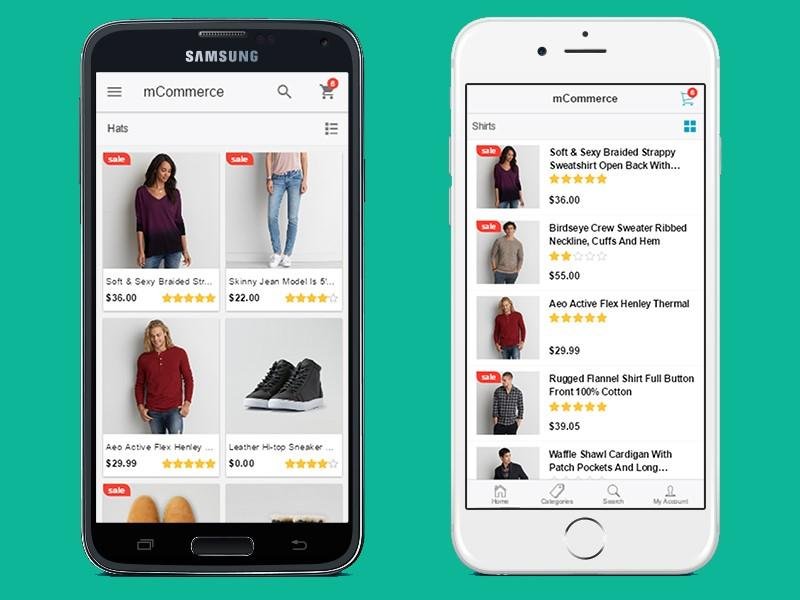
This is the change most stores will use first. The On Sale Badge block can now show the discount amount the percentage or your own text. You can use it in product collections and galleries. No code needed.
A plain “Sale” label tells shoppers nothing. “20% off” tells them exactly what they’re getting.
Amount or Percentage: Which One Works Better?
It depends on the price. A badge that says “Save $40” works hard on a $200 product. The same badge saying “Save $0.60” on a $6 item looks weak. That’s a bad trade.
Here’s a simple rule I’d follow:
- Low priced items: Use percentages. “15% off” sounds bigger than “$0.60 off”.
- High priced items: Use amounts. “$40 off” feels real.
- Flash sales: Use custom text like “Today only”.
Set it per collection instead of switching it on everywhere. It’s the easiest win in this release.
New Styling Controls for Product and Catalog Blocks
WooCommerce 11.3 adds more color spacing and border controls to the Product Featured Product Featured Category and Product Categories List blocks. Each block gets options that fit it and they’re documented.
There are two smaller changes worth knowing:
- The Featured Category block now works inside the Terms Query block so you can build a category grid with one consistent design.
- Product Result Count and Catalog Sorting are more customizable too.
I like this direction. Every style you can set in the editor is one less CSS override to maintain. That saves money over time because custom CSS is what breaks during redesigns. If you’re planning a bigger refresh this ecommerce web design guide shows which design changes actually move sales.
Product Gallery Block: Smoother Mobile Swipe
The Product Gallery block now uses native scrolling and scroll snap on mobile. Images follow the shopper’s finger and respond to quick flicks with natural momentum.
That sounds small. It isn’t. Most shoppers check product photos on their phones before they read anything else. A clunky swipe makes the page feel cheap and a smooth one makes it feel trustworthy.
You don’t need to change any settings. If your store uses the Product Gallery block the improvement arrives with the update. This ecommerce UX trends article covers more mobile fixes that are worth your budget.
Refund and Returns Policy Page Setting
You can now pick your refund and returns policy page in WooCommerce. Go to Settings > Advanced > Page setup and choose the page.
Two things happen after that:
- WooCommerce labels the page in your Pages list.
- WooCommerce adds structured data that points to it so search engines and AI agents can find it without custom markup.
It’s a quiet feature but a useful one. Clear returns information builds trust at checkout. It also helps with search visibility which an SEO service would usually handle with a plugin or manual schema. Here you get it built in.
WooCommerce 11.3 Developer Changes: MCP Refund API and Product Filters
Store owners can skim this section and pass it to their developer. If you have custom code or older extensions read it properly.
| Change | What it means for you |
|---|---|
| The old WooCommerce MCP endpoint and its REST API key connection have been removed | Anyone using the old WooCommerce MCP endpoint or REST API key connection needs to migrate. |
| MCP Adapter and Abilities API packages are no longer bundled | Use the WordPress MCP Adapter plugin with an application password |
| Extensible Abilities API is experimental and off by default | Test it outside production only |
| The refund endpoint now checks line item amounts before creating a refund | Sloppy refund requests can fail now |
| Product Collection uses the Product Filters engine for URL filters | Check any filtered collection pages |
| Products endpoints handle the on sale parameter differently with include and exclude | API users should retest their queries |
| Single Product block passes product context differently to nested blocks | Test custom templates with nested blocks |
The refund change is the one I’d test first. If an app or script posts refunds a bad payload used to slip through. Now it won’t. That’s better for accuracy but it can surprise you on a busy day.
The official team also published an MCP migration guide and a cart item parent and child advisory. Read both if they apply to you.
Should You Update? Cost Risk and Staging Checklist
The update is free. The real cost is your time and the risk to your checkout. Here’s how the three options compare.
| Option | Cost | Risk | Best for |
|---|---|---|---|
| Update on staging then live | Your testing time | Low | Stores that want the new badge and styling now |
| Wait one to two weeks | Free | Very low | Stores with many extensions or custom code |
| Stay on your current version | Free for now | Grows as you miss fixes in newer releases | A short pause only |
Because of the database update I’d skip same day updates on a busy shop. Testing time is cheap next to one broken checkout.
Pre Update Checklist
- Take a full database and file backup.
- Copy your store to a staging site.
- Check compatibility with your WordPress version and extensions, then update on staging before applying changes to your live store.
- Add a product to the cart apply a coupon and check out with every payment method.
- Process a test refund.
- Open your account pages and any subscription or membership extensions.
- Check the Product Gallery and sale badges on a real phone.
If you don’t have a staging site fix that before this update. Many hosts include one.
My Take on WooCommerce 11.3
WooCommerce 11.3 isn’t a big overhaul and that’s fine. The sale badge and block styling changes help stores right away and the returns policy setting is a smart addition. The database update is the only reason to slow down. Back up test the parts of your store that make money then update.
Need Help Improving Your WooCommerce Store?
From product page customization to mobile shopping experiences and performance optimization a well-developed WooCommerce store can make buying easier for your customers.
Contact our team to build or improve your online store.
WooCommerce 11.3 FAQs
Is WooCommerce 11.3 backwards compatible?
Yes. The official release notes mark it as backwards compatible. You should still test on staging especially if you use custom code or older extensions.
Does WooCommerce 11.3 need a database update?
Yes. The release includes a database update. Take a full backup before you start so you can roll back if anything goes wrong.
How do I set the returns policy page in WooCommerce 11.3?
Go to Settings > Advanced > Page setup and choose your refund and returns page. WooCommerce labels it in your Pages list and adds structured data for search engines.
What changed in WooCommerce MCP?
The old WooCommerce MCP endpoint and its REST API key path have been removed. The MCP Adapter and Abilities API packages are no longer bundled. Use the WordPress MCP Adapter plugin with an application password instead.
Should I update to WooCommerce 11.3 immediately?
Not on a live store without testing. It’s mainly a feature release though it also includes security and bug fixes. Test on staging first and wait a week or two if your store relies on many extensions.